
new
Settings
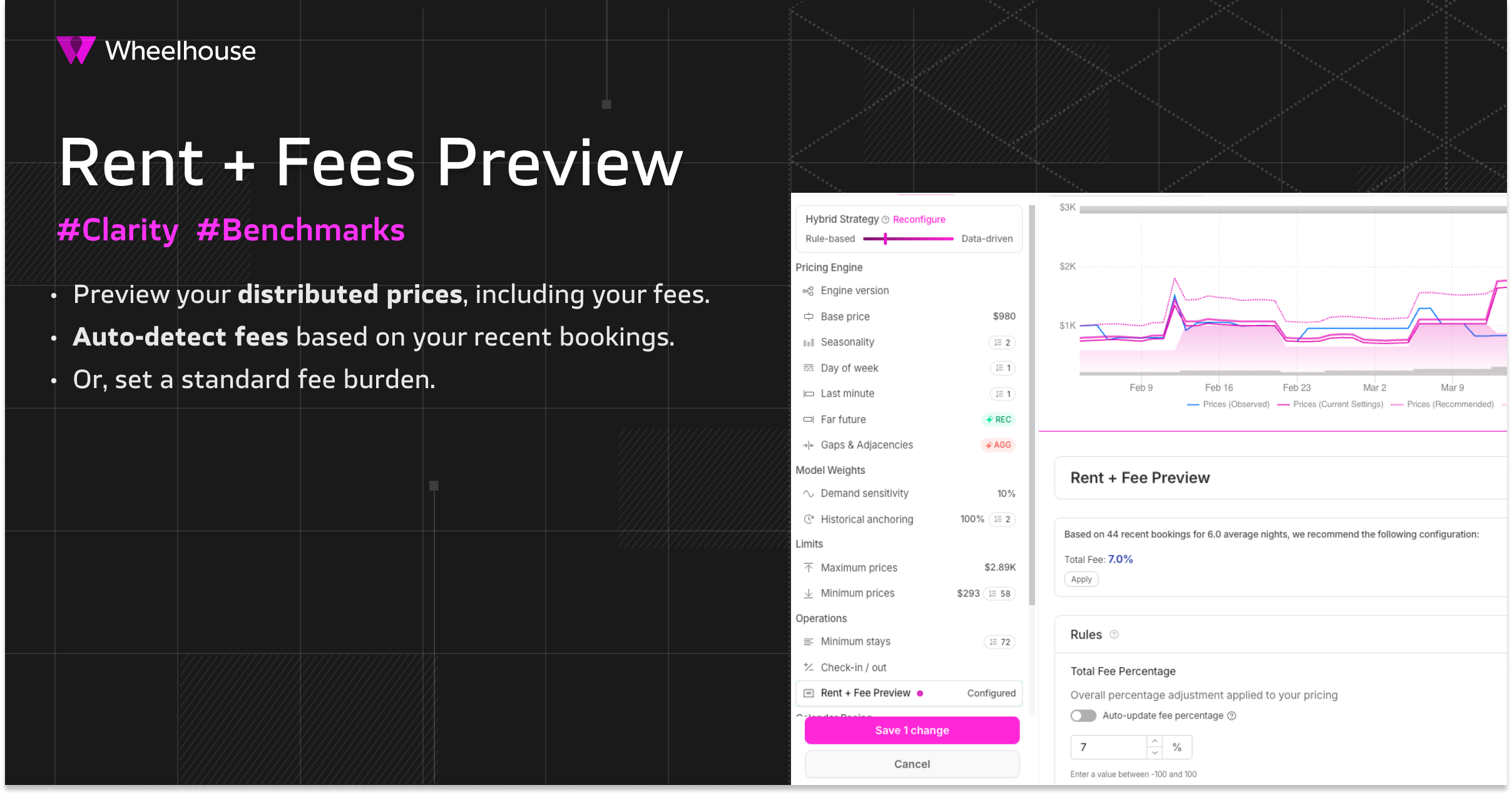
Preview Rent + Fees
TL:DR
→ - Easily preview your distributed prices-including fees- in your pricing chart.
- Quickly see your OTA pricing vs. market or competitors.
- Help communicate pricing strategies to owners & teammatesmore easily.
Learning More:
- 📃 Help Center article - detailing how to use Rent + Fees
Overview:
In the current OTA landscape, it’s especially critical to compare your final distributed prices to other OTA prices.
However, this can be a challenging endeavor, as fee totals can be impacted by:
- The season
- The booking amount
- The stay type (extra guests, pets, etc)
- The stay length
- The channel
- And more
Therefore, to enable you to better understand your final distributed price, Wheelhouse has added a new “
Rent + Fee Preview
” tool to your settings.This preview gives you a clearer signal of how your pricing strategy will translate into your posted rates.
Detecting Fees from Bookings:
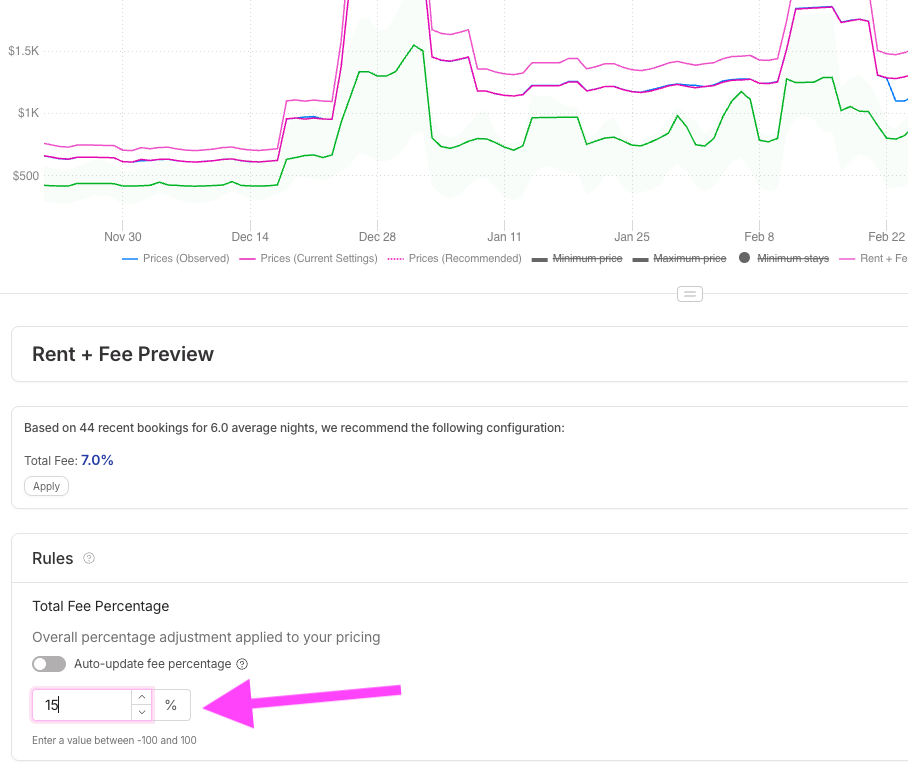
For each listing, Wheelhouse now surfaces what our system is seeing as your average fee load, based on observable bookings.
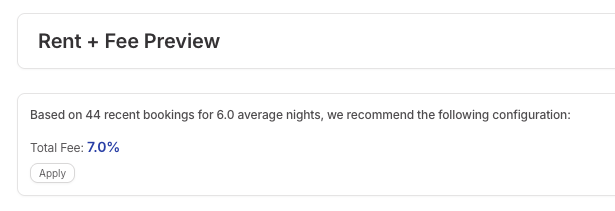
By clicking “apply”, you can can now quickly preview your pricing, with this fee load.
📈
Adding this preview to your Pricing Chart:
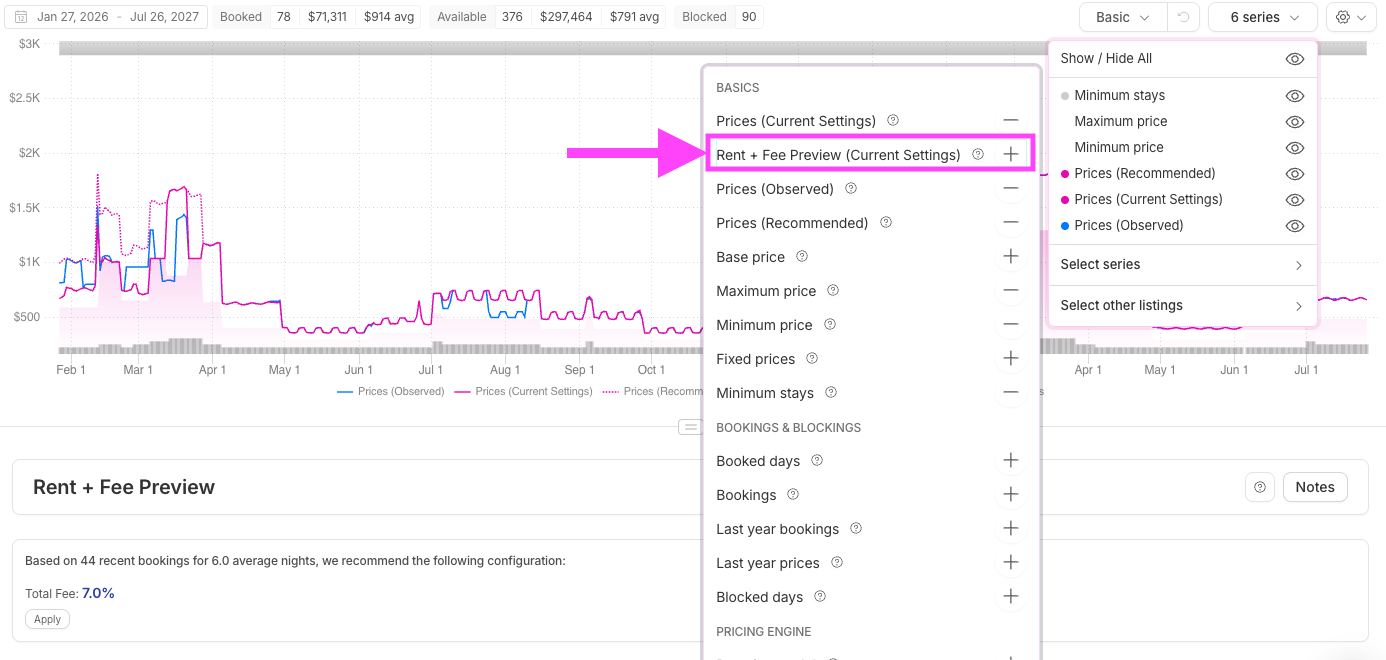
With the fees “applied” you can now see you final rates, but adding the Series “Rent + Fees” to any chart.
This line will show your fee burden, added for your Pricing (Current Settings).
🧮
Previewing vs. Comps:
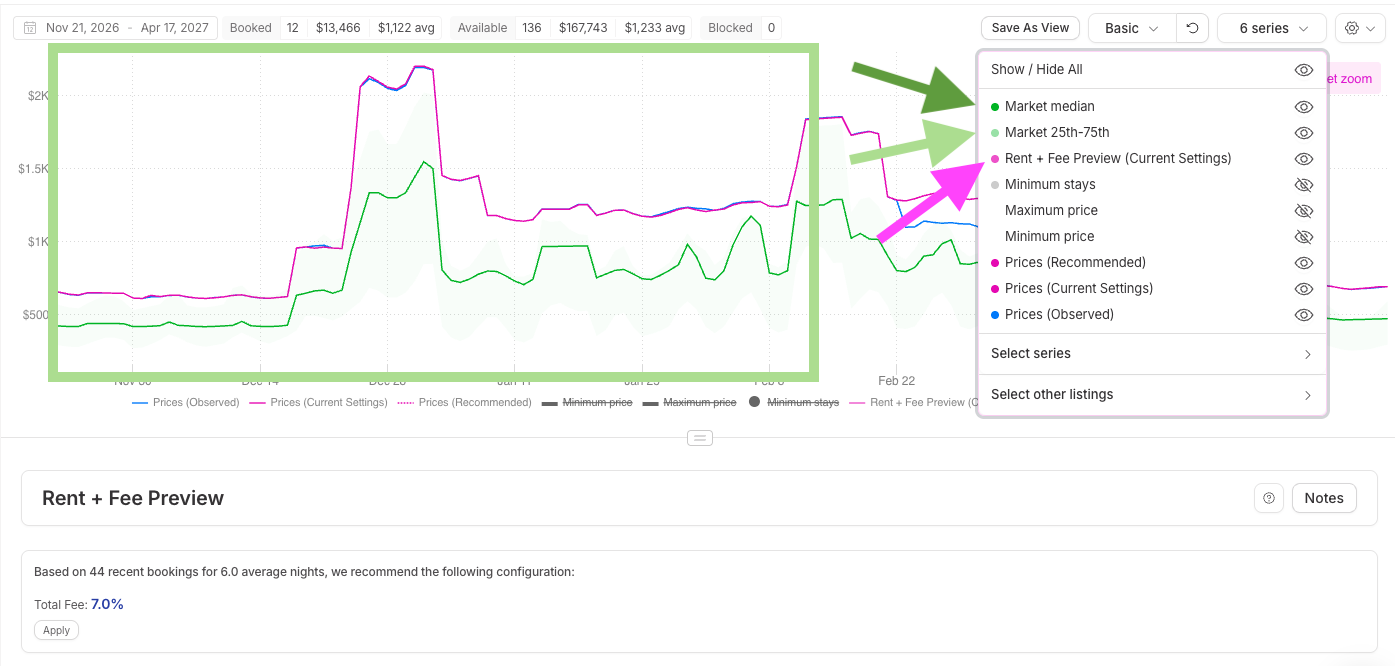
And, as you might know, you can easily bring in your market range & median, to now see how your Rent + Fees Pricing relates to the market.
To do so, simply add more series to your chart, from the Series list:
➕
Set your own Fee Load:
If you want to view or preview a different fee load, you can easily do so, by using the input box to see where your pricing will land.
🪄
Auto-updating Fees:
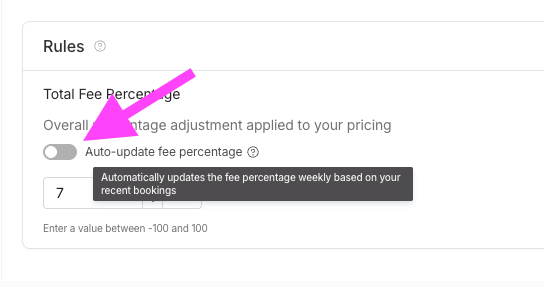
- Lastly, Wheelhouse can be easily setup to auto-detect your fees, in an ongoing fashion.
- To activate this, simply toggle on this setting, and we’ll continuously monitor & preview your evolving fee dynamic.
🥳
Pro Tip! Make fees more powerful by adding your OTA links!
And, as a reminder, you can store your OTA links on any listing, so you can quickly click through to your listing pages, and analyze your final prices for any stay length.
