
new
Portfolio
Settings
Adjust Multiple Base Prices at Once

TL:DR →
- You can now easily adjust Base Pricesby any$ or %. For example, quickly increase Base Prices for your highest performing listings or lower Base Prices for listings that struggled last year
- You can now quickly update Base Prices across many listings, simultaneously.
- You can combine this with your Events & Seasons Configurationto makeannual strategy planninga breeze!
🗝️ New Unlock: “Adjust” vs. “Set”
Hooray! You can now adjust Base Prices across multiple listings.
Before, you could either:
- Selecta data-driven recommendation (e.g. Recommended)
- Seta specific price (e.g. $200)
Now, you can:
- Adjustbyany value or percentage(e.g. add $15, reduce by 5%)
And, you can do this from 1 to 1,000 listings, at the same time.
Let’s explore what this seemingly small update unlocks for you & your team 🗝️🔒
🧮 Adjust based on Performance
Let’s imagine it’s the end of the year.
You want to
increase Base Prices
for your highest-performing listings by 5%
.Before, you had to go to each listing to set those Base Prices
individually
😡!Now, you can simply:
- Filter to highly-occupied listings (e.g. “Occupancy >70%, last 180”);
- Select all these listings;
- Adjust all Base Prices up by 5%;
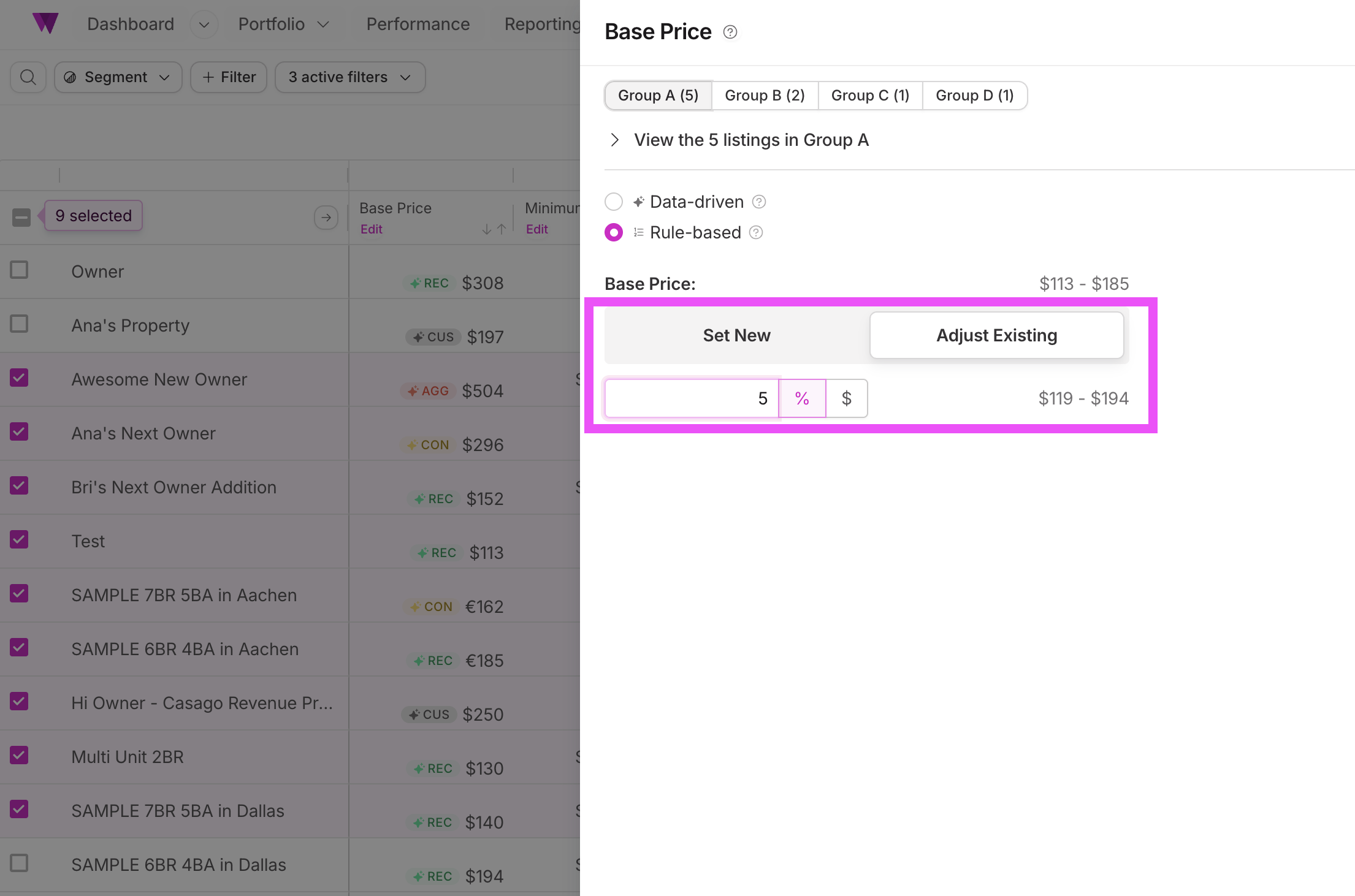
Similarly, you could decrease your lightly occupied listings by -5% or -$20.
Whatever the adjustment you make, you will see a preview of your future Base Prices right next to the input field.
🧙 Base Prices Adjust + Events & Configuration 🍁
Ready for the real magic?
Let's combine “Base Price Adjust” with your recently launched “Events & Seasons Config”.
As you might know, you can now set
relative Base Prices
for any event & season you create, as shown in the image below.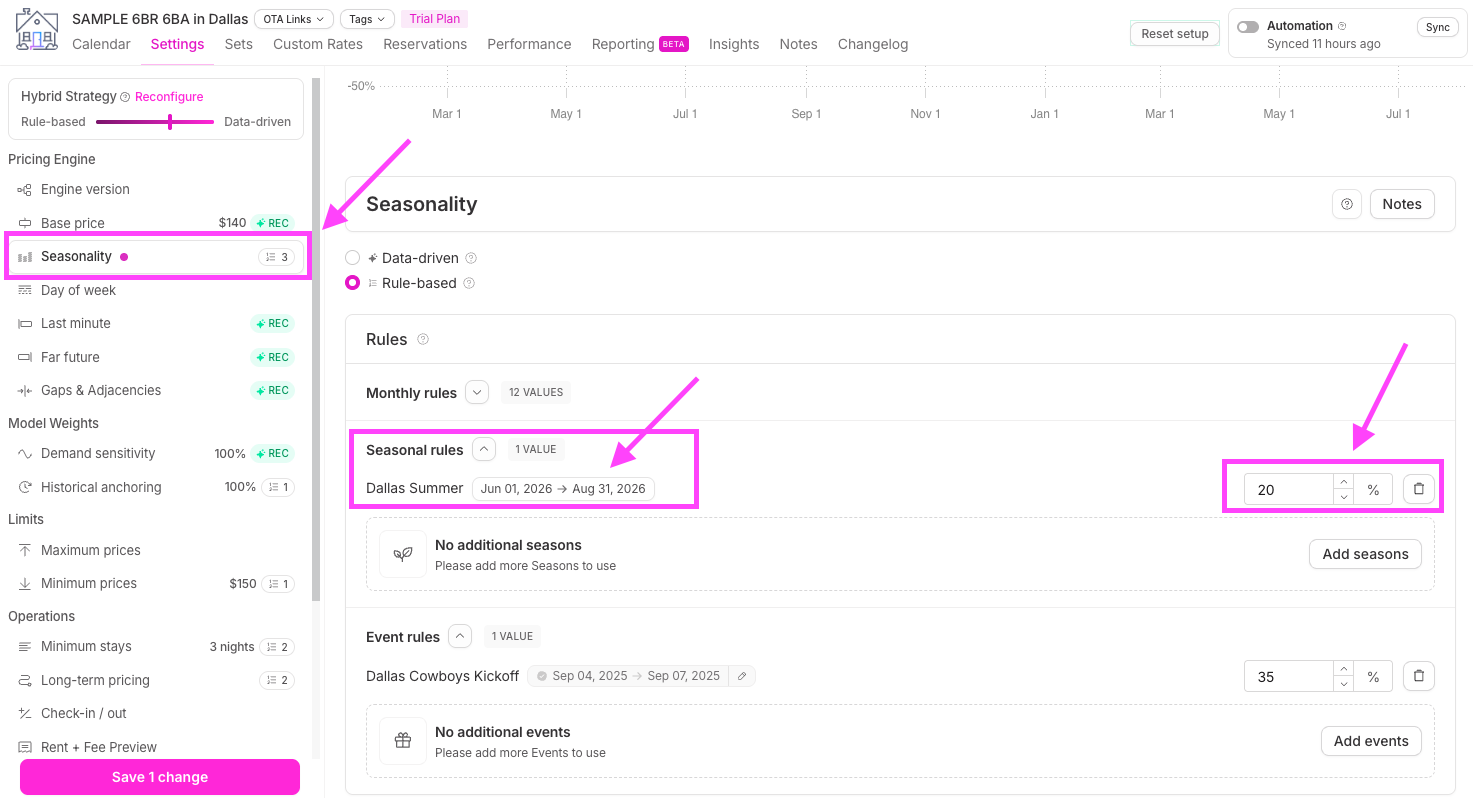
Already, when you set a new Base Price, your Event & Season pricing is updated instantly.
Now, since you can safely adjust multiple Base Prices at the same time, you can:
- Safely & effectively…
- Update your entire pricing strategy…
- For any/all listings…
- In seconds.
We’d suggest that Base Price Adjust + Events & Seasons is the biggest scale unlock we’ve ever created at Wheelhouse.
🤓 We’d encourage you to read this 3x…, to make sure you absorb this unlock…! Have questions about leveraging this unlock? Message us!
🗓️ Annual Planning in Minutes
Let’s keep exploring this scale unlock.
As you might know, your
Events & Seasons configuration
can be set up for multiple years at once
(20+ years in the future!).Therefore, when you move up your Base Price, your season & event specific prices are immediately updated, far into the future.
And, since your Events & Seasons now allow you to split your
Rules
vs. Overrides
, creating a V1 of next year’s rate plan is a breeze!- Rules= your ideal initial pricing strategy
- Overrides= changes you make over the course of the year
Here are more details about Events & Seasons and Rules vs. Overrides, so you can better leverage these features together:
